
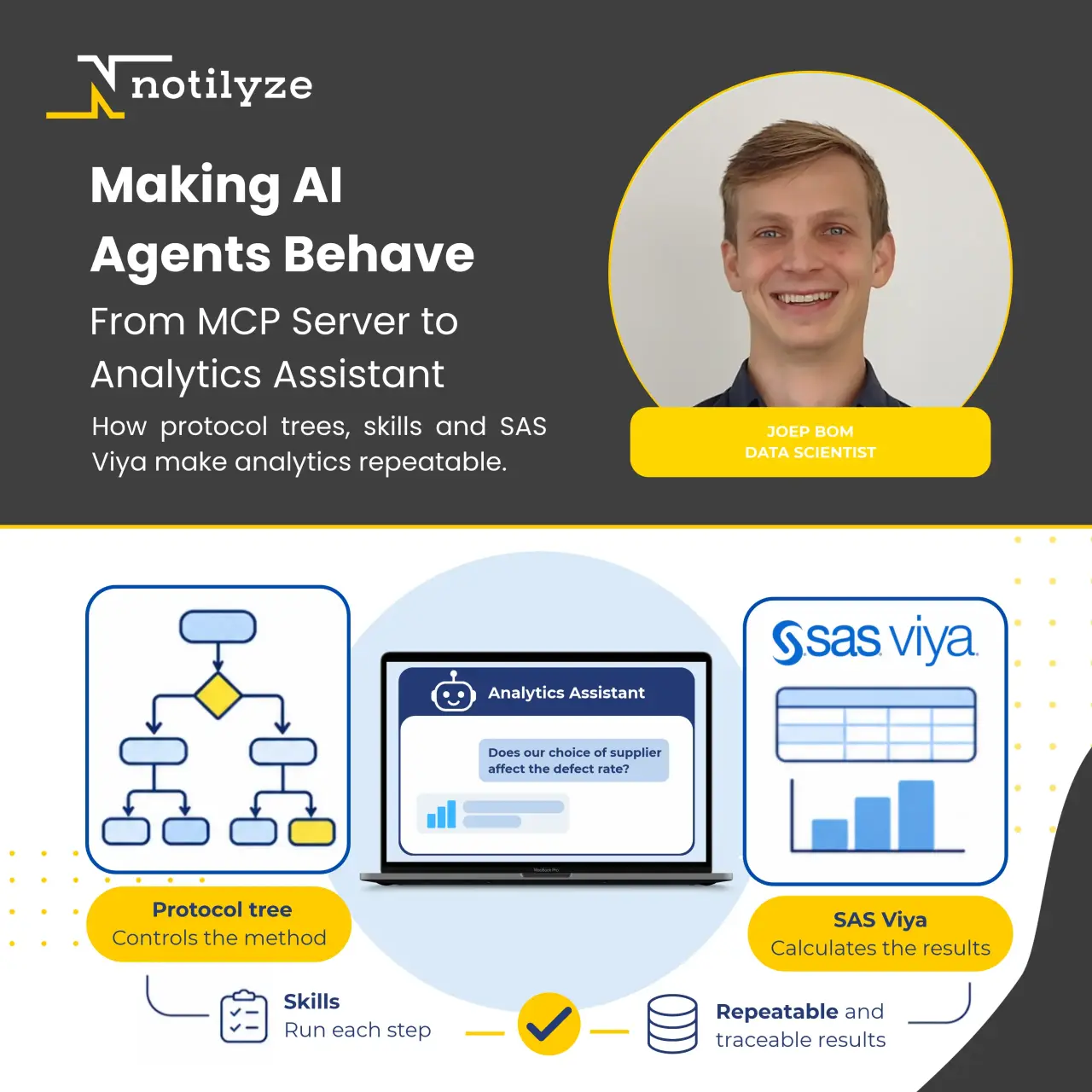
// From MCP Server to Analytics Assistant: Making AI Agents Behave on SAS Viya
Earlier this year we wrote about the SAS Viya MCP Server, which connects AI agents to SAS Viya. Since then, we have built the Notilyze Assistant, helping engineers perform Lean Six Sigma analyses on their own data. Connecting the agent to SAS turned out to be the easy part.
Building an AI agent is easy. Making it follow your method the same way every time is not. Here’s what we learned building the Notilyze Assistant using the SAS Viya MCP Server.
Picture a quality engineer on a production line. The parts come from two suppliers, and nobody is sure they deliver the same quality. The engineer uploads the production data and asks one question: does our choice of supplier affect the defect rate?
What goes wrong when an agent improvises
Give a capable language model a SAS tool, and it will run SAS code and answer your data question within minutes. But repeat the question, and you will find that you often get a different answer. The agent may run a 2-Sample t-test one time, a Chi-Square test the next, and a 2-Proportion test on the third try. It may skip the check that tells whether the Chi-Square test is valid or decide on its own that 0.05 is the right significance level. Worst of all, it can state a confident p-value that no procedure ever produced.
In a chat about holiday plans, that variation is harmless. In Lean Six Sigma, it is not. A wrong test can lead to a wrong conclusion, and a wrong conclusion can mean a production line gets changed, or left alone, for the wrong reason. A statistics agent that improvises is worse than no agent at all.
Force the method through protocol trees
The obvious fix is a stricter system prompt. But that does not work. A prompt is only a suggestion, and over a long conversation the model can drift away from it.
Instead, we moved the method out of the prompt and into a protocol tree. In this way, the steps of the analysis are enforced by an engine outside the model. For hypothesis testing that is the familiar step-by-step method, from research questions and hypotheses through selecting and running the test to a business answer.
Each chat keeps a scratchpad with the overall plan, details on the current step, and every fact recorded so far. Therefore, the agent always has exactly what it needs for the next step, even deep into a long conversation.
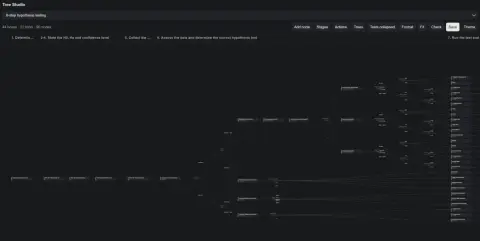
The hypothesis-testing protocol in our Tree Studio: 95 nodes and 22 forks. Recorded facts decide which branch the agent takes.
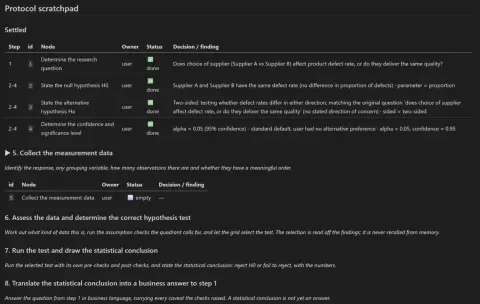
The scratchpad for the supplier question: steps 1 to 4 are settled. The rest of the plan is still ahead.
Three rules do most of the work:
-
Facts pick the test, not the agent. The agent records what it finds: the data type, whether the data is normal, or whether the samples are paired. The tree reads those facts and routes to the test. The agent cannot name one itself.
-
Some decisions belong to the user. The research question and the significance level come from the engineer. The agent may propose these, but only the engineer can settle them.
-
Every step follows a skill. The tree decides which step to come next. That step skill tells the agent exactly how to carry it out.
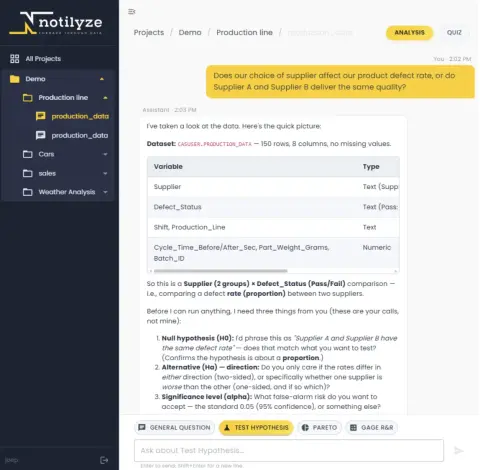
The agent proposes the hypotheses and the significance level and lets the engineer decide.
The tree decides what, a skill says how
Every step in the tree points to a skill, containing a short playbook the agent reads when it reaches that step. A skill holds four things and nothing more:
-
What to record. The facts the step establishes, such as whether the data is normal, in the exact fields the tree needs to route the plan.
-
The SAS to run. A code template with the procedure and options already chosen. The agent fills in the dataset and the variables.
-
How to read the output. Which table to look at and what it means. For normality: a small p-value means the data is not normal; the reading people most often get backwards.
-
How to show the result. A fixed layout for the table, the plot and the verdict, so a normality check looks the same whoever asks and however often.
What a skill leaves out matters just as much: when to run it, and what happens next. That belongs to the tree. Keeping the two apart means we can fix a SAS template without touching the method and change the method without rewriting the skills.
The agent reasons, SAS Viya calculates
The language model handles the conversation and the reasoning, while SAS Viya produces every number. The model varies from run to run; SAS does not. Ask our engineer question twice and the wording of the answer changes, but the path and the numbers do not.
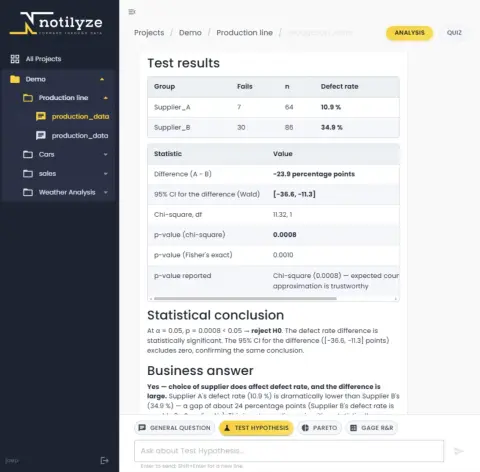
SAS computes every number; the agent turns them into a statistical conclusion and a business answer.
In our first post we listed what the MCP server makes possible. Here is what that looks like in a real build:
-
Validated procedures. Every number comes from a standard SAS procedure. In our example PROC FREQ compares the two suppliers; the agent never writes its own statistics.
-
Viya authentication. Jobs run under the engineer's own Viya identity, so the agent can reach exactly the data the engineer is allowed to see, and nothing more.
-
Auditability. Every tool call is logged with the full SAS code and its log. Every number in an answer traces back to a procedure.
-
Results where you work. The engineer stays in a chat window. SAS tables and plots appear in the conversation, and the answer ends in business terms.
-
Your data stays with us. We run an open-weight language model ourselves, on our own GPUs in Worldstream's data centres in the Netherlands, as part of Notilyze Cloud. Uploaded data and conversations never go to an outside AI service.
What we added to the MCP server
SAS's MCP server gave us the connection. To run it for many users and many conversations at once, we extended it in three ways:
-
One identity per user. The chat app exchanges the user's login for a Viya token, so every SAS job runs like that user.
-
One CAS session per chat. Uploaded data is loaded into CAS, Viya's in-memory engine, in a session that belongs to that conversation, so two analyses never see each other's tables.
-
Plots that last. The MCP server downloads each SAS plot once and caches it, so plots stay visible in the chat after the SAS session has closed.
Not just Lean Six Sigma
Hypothesis testing was our first tree. Data quality checks, Gage R&R, and Pareto analysis followed. The engine underneath knows nothing about statistics: a tree is simply a method written down, with its steps, its checks, and who decides what. Any process that has the right way of doing it can become one.
Does your team follow an analytical process step by step, and would you like an agent that follows it too, every time? Let's talk about your process. Contact us at info@notilyze.com. To see the Notilyze Assistant work on your own data, book a live demo.
About Notilyze
We are Notilyze, a SAS® Partner with only one goal: to help organizations with data analytics, and become more data-driven and successful. Our aim is to bring data analytics within reach of every department and every company. We do this by offering SAS® as a Service. Notilyze Cloud is the quickest solution to start with AI on SAS® Viya®. In addition, we offer IT solutions to properly integrate analytics into existing processes, and the experience of our SAS® specialists.
// Contact
Notilyze B.V.
Stationsplein 45 A4.004
3013 AK Rotterdam
+31 (0)10 79 86 295
info@notilyze.com

